
Flud+
Delphi softwaresVideo Players & Editors
4.81.21K Reviews
- Version
- Varies With Device
- Installs
- 100.00K
- Age Rating
- Everyone
Screenshots
Our Review of Flud+
 Analysis by Appyee
I find a torrent client is most useful when it makes each choice visible without making routine tasks feel complicated. Flud+ is an Android app from Delphi softwares in the video-player and editing category, though its practical role is managing BitTorrent downloads rather than playing or editing video. Its straightforward approach suits people who already know what they want to download and would rather handle the process on a phone than move to a desktop client.
Trust starts with what you can actually see
Torrenting involves more than tapping a download button: the files you choose, the network connection you use, and the source of a torrent all matter. I would treat the client as one part of that process, not as a guarantee that a download is safe or private. A familiar interface can make tasks easier, but it cannot tell you whether a file is trustworthy or whether you have permission to obtain it.
That distinction is useful when deciding whether this app fits your habits. If you use torrents for legitimate files from sources you trust, a mobile client can make managing them convenient. If you expect an app alone to verify files, conceal your network activity, or decide what is lawful, this is the wrong expectation to bring to any torrent client.
Make deliberate choices before a download begins
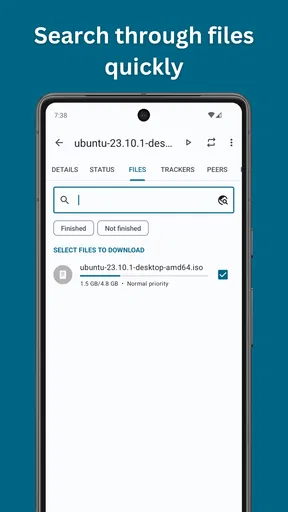
The practical advantage of choosing individual files inside a torrent is easy to overlook. When a torrent bundles several items, you can avoid downloading everything by selecting only what you actually need. That saves storage and reduces unnecessary data use, especially on a phone where space and connectivity may be shared with other tasks.
Priorities and transfer limits are useful for different reasons. I would give a particular file priority when I need it sooner, then use limits when a download should not dominate a connection. These controls are more valuable than chasing peak speed: they let a download fit around browsing, video calls, or other household use. A sensible starting point is to keep limits modest and adjust them only after seeing how the phone and connection behave.
Getting Started with Flud+
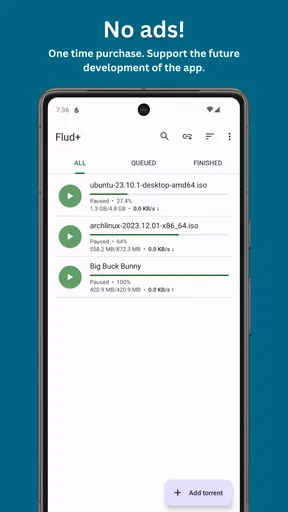
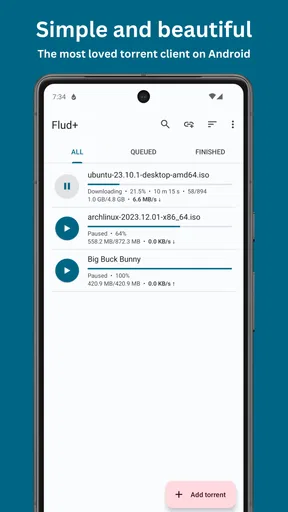
First things first, downloading and installing Flud+ is a breeze. Just head over to the Google Play Store, hit the download button, and you’re good to go. Once installed, the app greets you with a clean and intuitive interface. No fuss, no muss—just a straightforward design that makes navigating through your torrents as easy as pie.
One of the things I immediately appreciated was the absence of intrusive ads. While the free version of Flud is already impressive, the paid edition takes it up a notch by offering an ad-free experience. It's a small detail, but it makes a world of difference when you're managing your downloads. It costs $3.99, so I’d weigh that one-time purchase against how often I expect to use it rather than treating the ad-free interface as essential for everyone.
The User Interface: Simple Yet Effective
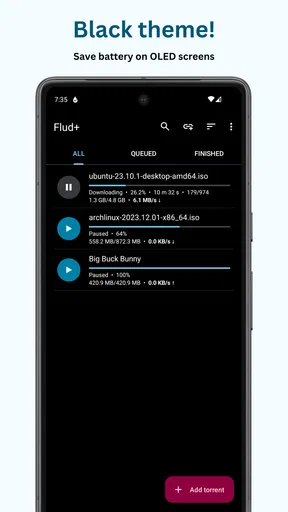
The user interface is simple and effective, with all the essential features right at your fingertips. Whether you're a torrenting novice or a seasoned pro, you’ll find everything you need without diving into a maze of menus. The layout is intuitive, allowing you to quickly add torrents, manage downloads, and change settings without any hassle.
Adding a torrent is as simple as pie. You can either upload a torrent file directly from your device or paste a magnet link. The app then takes over, efficiently managing your download with minimal input needed from you. It’s like having a personal assistant for your torrents.
Performance and Features
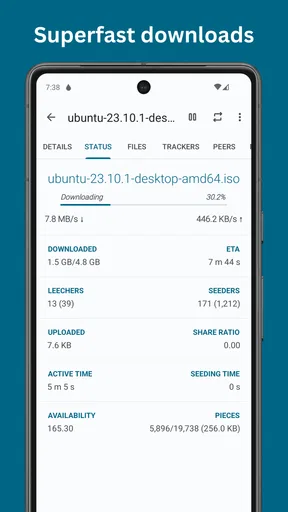
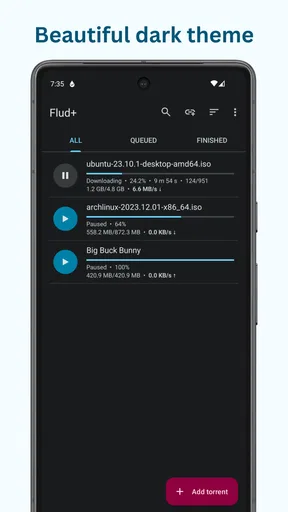
When it comes to performance, Flud+ doesn’t disappoint. The download speeds are impressive, and the app runs smoothly without any annoying lags or crashes. It supports large files and allows you to download multiple torrents simultaneously, which is a huge plus if you’re a heavy downloader.
Some of the standout features include the ability to select which files you want to download within a torrent, prioritizing files, and even setting download/upload limits. The app also supports sequential downloading, which is perfect for streaming media files while they’re downloading. It’s like Flud+ just gets what you need.
Everyday use calls for a little planning
For example, I might add a legitimate open-source distribution at home over Wi-Fi, select only the files I need, and set an upload limit before leaving the phone to work. If I need one item first, I can prioritize it rather than letting a large bundle proceed as if every file mattered equally. This workflow is less about micromanaging and more about avoiding a full storage drive or an unexpectedly busy connection.
Sequential downloading can help when I want to preview a media file before the complete transfer finishes, but I wouldn’t treat that as a replacement for a dedicated video player. Playback depends on the file and the device, and an incomplete file may not behave like a finished one. If reliable playback is the main goal, downloading first and opening the completed file in a player is the safer routine.
Multiple torrents are convenient when several downloads are genuinely needed, but starting many at once can make it harder to see which one is using storage or bandwidth. I’d add them in a deliberate order, check the file selections, and use priorities or limits to keep the queue manageable. That is a more useful habit than assuming that the app’s ability to handle several transfers means every transfer should run at full speed.
Security and Privacy
In the world of torrenting, security and privacy are often top concerns. Flud+ doesn’t skimp on these aspects. It supports encryption, which is crucial for keeping your downloads private. Plus, it works seamlessly with proxy servers, adding an extra layer of security to your torrenting activities.
While the app itself is secure, it’s always wise to use a VPN when torrenting to protect your IP address and maintain anonymity. Flud+ plays well with most VPNs, making it a solid choice if privacy is a priority for you.
Keep the sensitive decisions in your hands
I would still make a separate decision about network privacy rather than assuming that encryption or a proxy makes a transfer anonymous. A VPN may be part of someone’s setup, but it does not establish that a torrent is safe, authorized, or free of unwanted content. I’d choose reputable sources, review the selected files, and avoid opening unfamiliar downloads simply because a client accepted them.
It is also worth thinking about when and where a transfer runs. A large download over mobile data can have consequences beyond the app, while leaving it active on a shared or limited connection may affect other people using that network. Setting a limit, pausing a transfer, or waiting until a suitable connection is available are small choices that keep the process under your control.
The app’s paid, ad-free positioning may appeal if you use it regularly and prefer a cleaner screen. Its rating is 4.8 from around 17,000 ratings, with roughly 1,200 written reviews, and it has over 100,000 installs. Those figures suggest that many Android users have chosen it, but they cannot tell me whether its controls match a particular person’s privacy expectations. I’d still review the choices presented during setup and use, and make decisions based on what I can observe rather than assuming any client has a particular data practice.
Where it fits among Android options
Compared with a desktop torrent client, Flud+ is more convenient when the phone is already where you manage files and you do not need a large-screen queue or a computer’s storage. Compared with downloading through a browser, a dedicated client gives you a place to manage torrent tasks, choose files, and set transfer behavior. That makes it a better fit for recurring torrent workflows than for someone who only downloads a single item occasionally.
The trade-off is that a phone is not always the best device for long or storage-heavy transfers. You may need to watch available space, manage battery use, and consider whether the connection is suitable. If you want central management across devices, a desktop workflow may be more comfortable. If you only need ordinary direct downloads or media playback, a browser or video player is simpler and avoids torrent-specific decisions altogether.
Who should choose it—and who should pass
I’d recommend considering it if you use Android, regularly handle legitimate torrents, and value file selection, priorities, and transfer limits more than a crowded feature set. The Everyone age rating makes it broadly accessible as an app, but it does not mean every file available through torrent sources is appropriate for every user. Parents and anyone sharing a device should pay attention to the content they choose, not rely on an age label for the client to screen downloads.
I’d skip it if you do not use BitTorrent, want a tool that verifies the contents of every file, or need a full desktop-style setup on a phone. It is also not a substitute for a streaming service or a dedicated media library: its main job is managing transfers. The app was released on May 10, 2014, and its continued presence in the category is useful context, but I would still judge it by whether its current interface and options work for my own routine.
Final Thoughts
Overall, Flud+ is a fantastic torrent client for Android users. It combines a user-friendly interface with powerful features, all wrapped up in an ad-free package. Whether you’re downloading the latest movie, music, or software, Flud+ handles it all with ease and efficiency.
If you're in the market for a reliable torrent client that doesn’t compromise on performance or features, give Flud+ a shot. It might just become your go-to app for all your torrenting needs. Happy downloading!
My cautious verdict is that it makes sense for people who want direct control over Android torrent transfers and are comfortable making their own decisions about sources, files, and connectivity. The main questions I’d ask myself are practical: will I use file selection and limits often enough to justify the price, do I have room on my phone for the files I plan to keep, and am I prepared to manage privacy separately from the client? If the answers are yes, it is a focused option worth considering; if not, a browser, desktop client, or dedicated player may suit the job better.
Verdict
Strengths of Flud+
- User-friendly interface for easy navigation.
- Supports multiple torrent downloads simultaneously.
- Integrated RSS feed support for automatic downloads.
- No speed limits on downloads or uploads.
- Lightweight app with minimal impact on device memory.
Limitations of Flud+
- Lacks built-in media player for previewing files.
- Occasional ads in free version can be intrusive.
- No option for scheduled downloads or uploads.
- Limited cloud integration for storing files.
- Some users report connectivity issues on certain networks.
Similar Picks in This Category
View All
Google TV
Google LLC3.9

iTunes
Apple4.7

YouTube
Google LLC3.8

MX Player
Amazon Mobile LLC4.2

CapCut - Video Editor
Bytedance Pte. Ltd.3.5

PLAYit-All in One Video Player
PLAYIT TECHNOLOGY PTE. LTD.4.5
Frequently Asked Questions
What is Flud+ and what does it offer?
Flud+ is a powerful torrent client for Android devices, designed to provide users with a seamless torrenting experience. It offers features like high-speed downloads, support for large files, and the ability to choose which files to download. The app also supports RSS feed subscription, allowing users to automate downloads.
Is Flud+ safe and legal to use?
Flud+ itself is a legal application, as it merely functions as a tool for downloading torrents. However, the legality of using Flud+ depends on the content you download. Always ensure you have the right to download the files and use the app responsibly to avoid infringing copyrights.
Does Flud+ support external storage and file management?
Yes, Flud+ supports downloading files to external storage devices, such as SD cards. This feature is particularly useful for users with limited internal storage. The app also provides robust file management options, allowing users to pause, resume, and reorder downloads with ease.
Are there any limitations in the free version of Flud+?
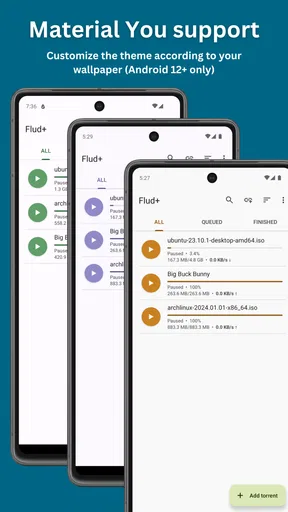
The free version of Flud+ offers most features but includes ads. If you wish to enjoy an ad-free experience, you can upgrade to the paid version. The premium version also offers additional features like no speed limits and custom themes, enhancing the overall user experience.
What are the system requirements for installing Flud+?
Flud+ requires a device running Android 4.1 or higher. It is optimized for both smartphones and tablets, providing a smooth user interface regardless of the device size. Ensure you have a stable internet connection for the best downloading experience and enough storage space for your files.
